Getting started with SEODex
Three steps from signup to a complete pitch dossier — about ten minutes the first time, then sixty seconds for every prospect after that.
1. Create your account
Sign up at /register using your work email. We start a 7-day free trial automatically — no credit card required, no usage caps during trial. The signup form asks for your name and an agency name; the agency name appears on every PDF export, so use whatever you want clients to see.
Verify your email when the link arrives (it shows up in a minute or two from noreply@seodex.com via Mailjet). Verification unlocks the full app.
2. Brand your exports (optional but recommended)
Go to Settings → Agency profile. Three fields shape your branded PDFs:
- Agency logo. Upload PNG, JPG, WebP, or SVG up to 2 MB. Appears in the top-left of every PDF dossier and one-pager. Skip this and exports show "SEODex" instead.
- Agency name. Used in the cover page footer of full PDFs ("Prepared by Evoba"). Defaults to whatever you entered at signup.
- Brand color. Hex value used for the accent rule on exports. Defaults to SEODex's purple if left empty.
You can change any of these later. Existing dossiers re-export with the new branding next time you click Export PDF.
3. Generate your first dossier
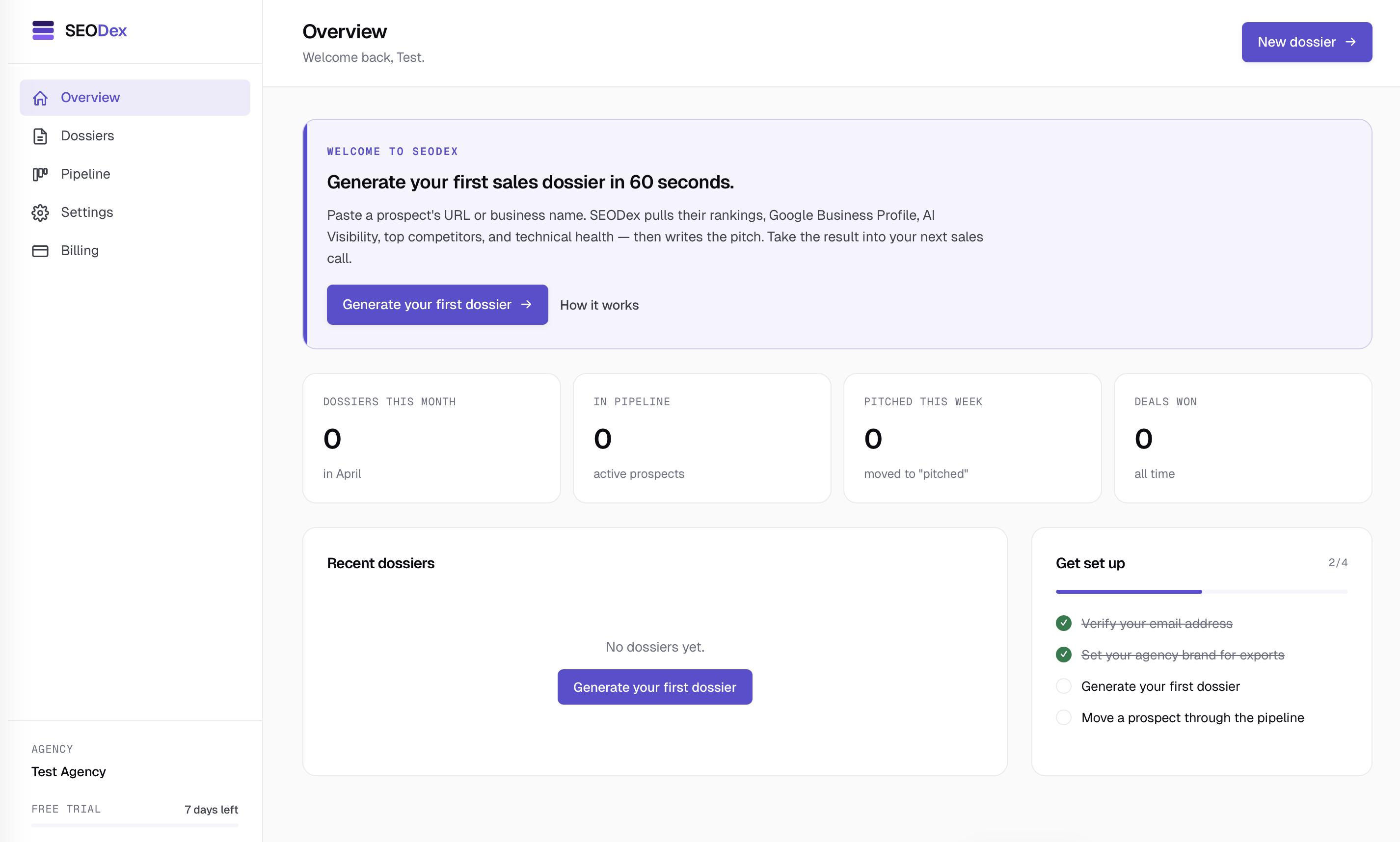
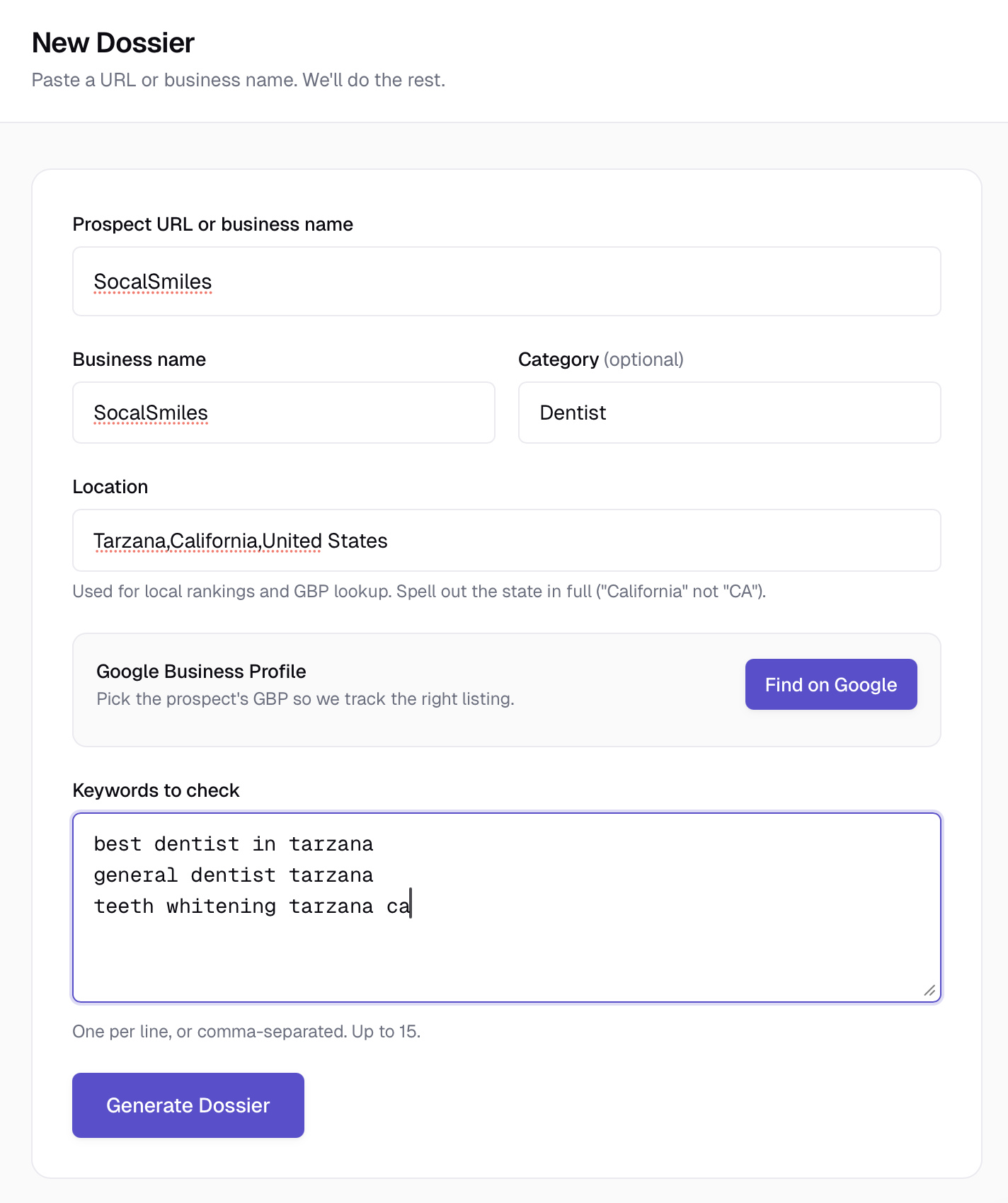
Click + New dossier from the Overview page. The form takes three things:
- A URL or business name. Pasting
example.comworks fine. Pasting a full URL works too. If you only have the business name, type it — we'll resolve to a website. - Location. The city or "City, State" of the business. Critical for local rankings, GBP lookup, and competitor search. "Los Angeles, CA" is better than just "Los Angeles" because DataForSEO matches against a known location index.
- Keywords. Up to 15 keywords you want them ranked against. Separate by commas or new lines. Mix obvious money keywords ("auto repair burbank") with long-tail variants ("brake repair near me"). Quality over quantity.
Optionally link the prospect's Google Business Profile via the Find on Google picker — this gives the most accurate GBP data on the dossier. If the picker can't find the business, you can paste a Google Maps URL directly. See Linking a Google Business Profile for details.
Click Generate. The page shows live progress — each of the six data sources lights up as it completes (rankings → GBP → AI Visibility → competitors → technical health → pitch summary). Total time is usually 60–120 seconds.
What you get
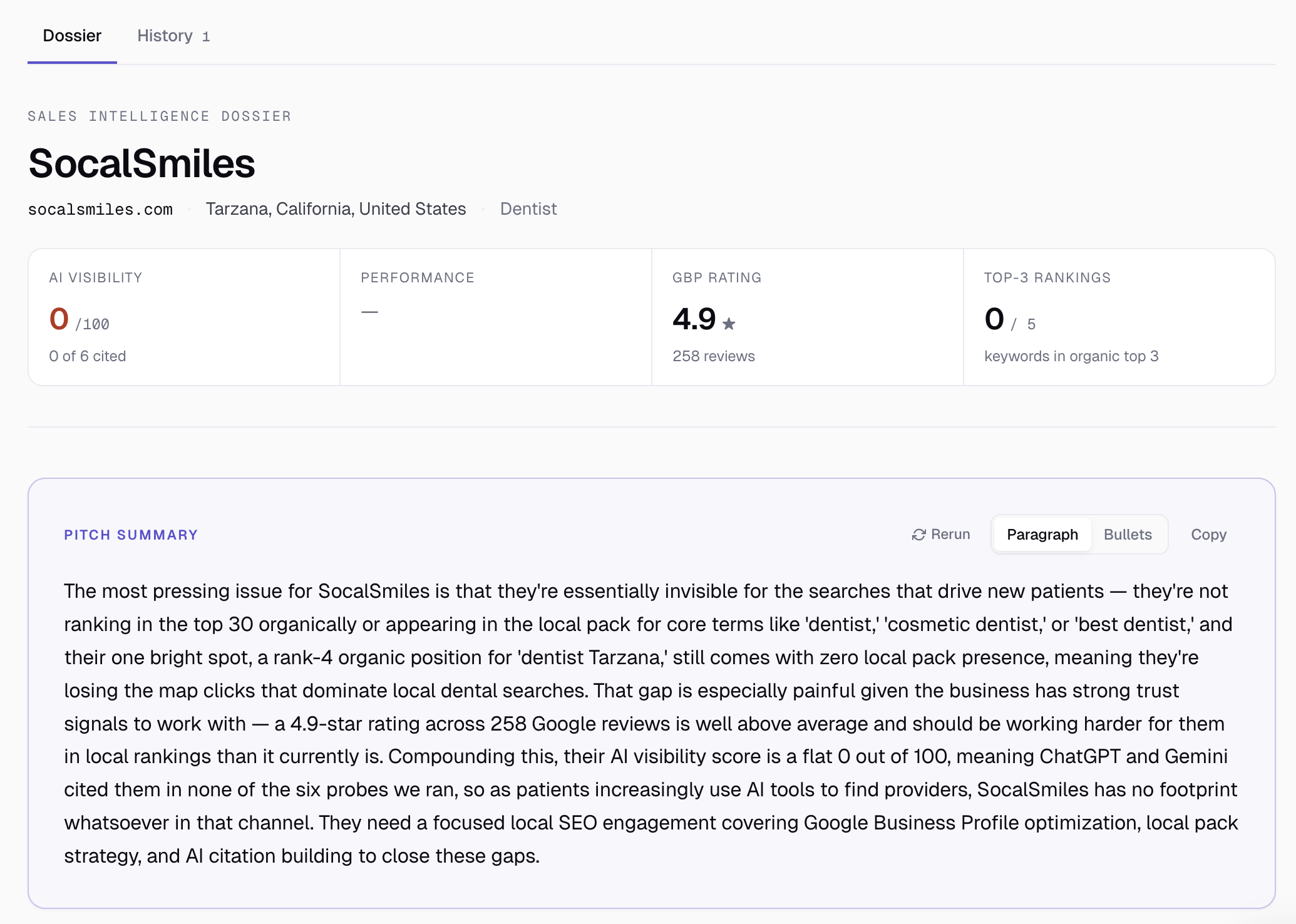
When generation finishes, the dossier shows:
- A scorecard header with four headline numbers — AI Visibility, Lighthouse Performance, GBP rating, top-3 keyword count.
- A pitch summary written by Claude that reads like a paragraph you could speak on the call. Toggle to bullets if you prefer.
- Five data sections — GBP, AI Visibility, Local competitors, Technical health, Keyword rankings — each with its own card.
For a full walkthrough of each section, see Anatomy of a dossier.
Next steps
Most users do these next:
- Export the dossier as a PDF. Actions → Export PDF (full version) or Export one-pager (single-sheet brief). See Exporting PDF dossiers and one-pagers.
- Move the prospect through your pipeline. The Pipeline tab is a kanban with six stages. Drag the prospect across as the deal progresses.
- Generate a few more dossiers. Most plans include 15–150 dossiers per month. Even on the Solo plan that's enough for several pitches a week.
If your first dossier looks thin (e.g., empty AI Visibility for a niche local business), it's not a bug — it's the truth. AI engines genuinely don't have data for most hyperlocal queries, and that's the conversation starter: "Even ChatGPT and Gemini can't name your business when asked. Let's fix that."
Ready to try SEODex?
Generate a complete pitch dossier for any prospect in about a minute.
Start your free trial →