Linking a Google Business Profile
Why we use a snapshot approach, how to use the picker, and what to do for hyperlocal or service-area businesses Google doesn't surface in search.
Why GBP matters in a dossier
For service-area and brick-and-mortar businesses, Google Business Profile is often a stronger signal than the website itself. A 4.8-star, 200-review GBP outperforms a 5.0-star, 12-review competitor. Profile completeness (hours, photos, attributes) influences local pack ranking. The dossier surfaces all of this so you can build the pitch around real GBP signals rather than guesswork.
The picker workflow
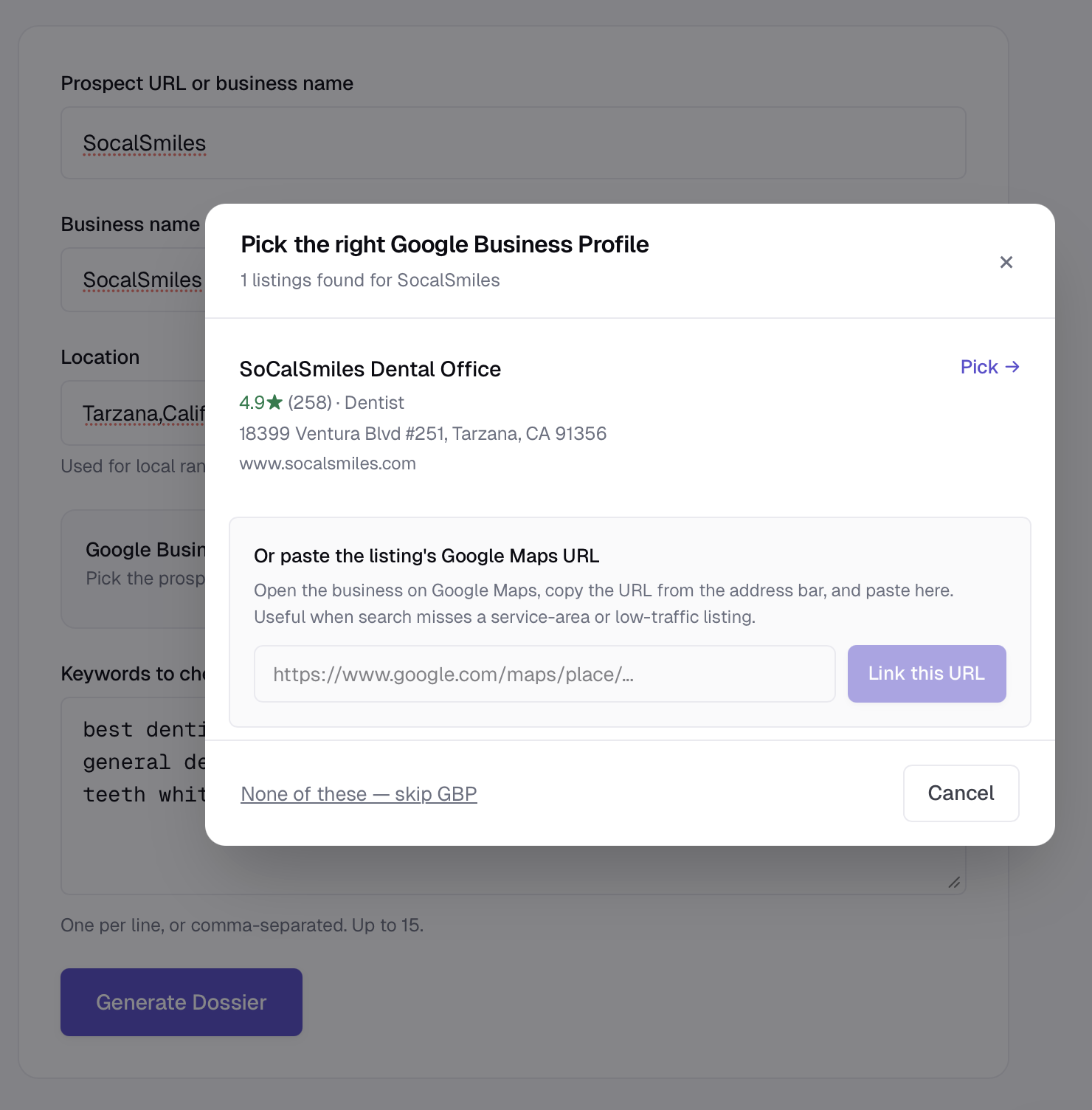
When you create a new dossier, the form has a Find on Google button next to the GBP field. Clicking it opens a modal where you type the business name; we query DataForSEO's my_business_info/live endpoint and show up to 10 candidate listings ranked by name similarity.
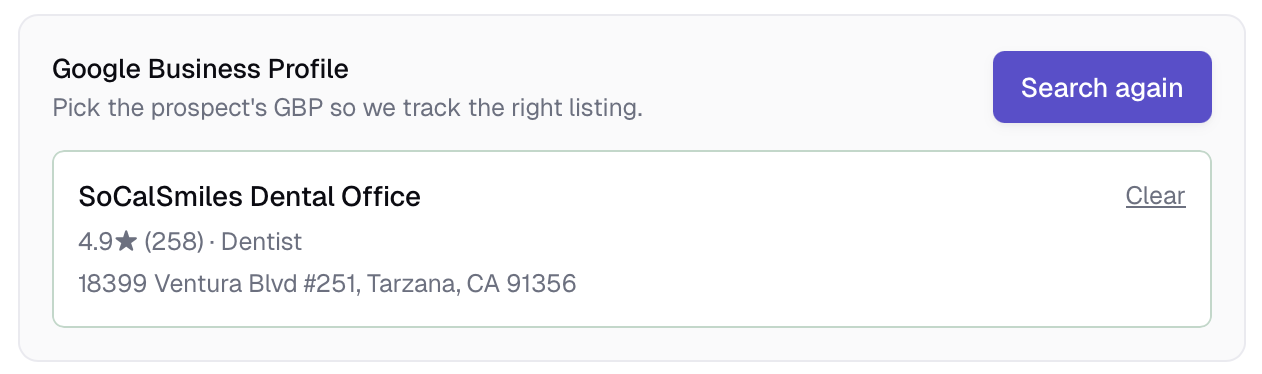
Pick the right candidate, click Use this listing, and the modal closes with the GBP attached. The full listing data — name, address, phone, hours, category, rating, completeness — is captured at this moment and stored on the prospect record.
The snapshot approach
Once you link a GBP, we never re-query Maps for that prospect on subsequent dossier generations. The data is frozen at link time. There are two reasons:
- Reliability. Re-querying Maps for a known
place_idis unreliable. Service-area businesses, hyperlocal listings, and recently-edited profiles often disappear from subsequent searches even when the listing exists. The picker found them once; future re-runs may not. - Cost predictability. Each Maps query costs us ~$0.002. Caching means re-generating a dossier doesn't multiply that cost.
If you need a fresh GBP read — say, the prospect just updated their hours or got 50 new reviews — generate a new dossier and re-pick the listing. The new snapshot replaces the old one.
When the picker can't find the business
Common cases where the picker comes up empty:
- Service-area businesses (no walk-in address) sometimes don't surface in Maps name searches even though they have an active GBP. This is a Google quirk — no perfect fix.
- Neighborhood-level locations like "Tarzana" or "Valley Village" aren't always in DataForSEO's location index. Try a parent city ("Los Angeles, CA").
- Very new GBP listings (added in the last few days) may not have propagated to the search index yet.
Fallback: paste a Google Maps URL
If the picker can't find the business, click the Have a Google Maps link? tab in the modal and paste the Google Maps URL of their listing. We extract the place_id directly from the URL and resolve the listing via that.
To get the URL: search the business on Google Maps, click the listing to open the side panel, click Share, copy the link. Both the short maps.app.goo.gl form and the long google.com/maps/place/... form work.
If the prospect has no GBP
Some prospects genuinely don't have a Google Business Profile — typically online-only businesses, or businesses that haven't claimed their listing yet. In the dossier creation form, check This prospect has no GBP. The dossier generates without GBP data; the GBP card on the dossier will say "No Google Business Profile linked" rather than "Link broken".
For local-business prospects, the absence of a GBP is itself a finding worth pitching. Setting up and optimizing a profile is one of the highest-ROI first steps in local SEO.
Re-linking later
If you generated a dossier without a GBP and want to add one, generate a new dossier from the same prospect (the form pre-fills) and use the picker. Pricing-wise, this is one new dossier of usage; the old dossier still exists in your history.
The picker shows up to 10 candidates because business names overlap (every city has multiple "Joe's Plumbing"). Match against the address shown in each card to confirm you've got the right one. The prospect's actual website is also shown when available — that's another way to verify.
Ready to try SEODex?
Generate a complete pitch dossier for any prospect in about a minute.
Start your free trial →