Anatomy of a dossier
Every dossier follows the same six-part structure. Here's what each section is, where the numbers come from, and how to use them when you're pitching.
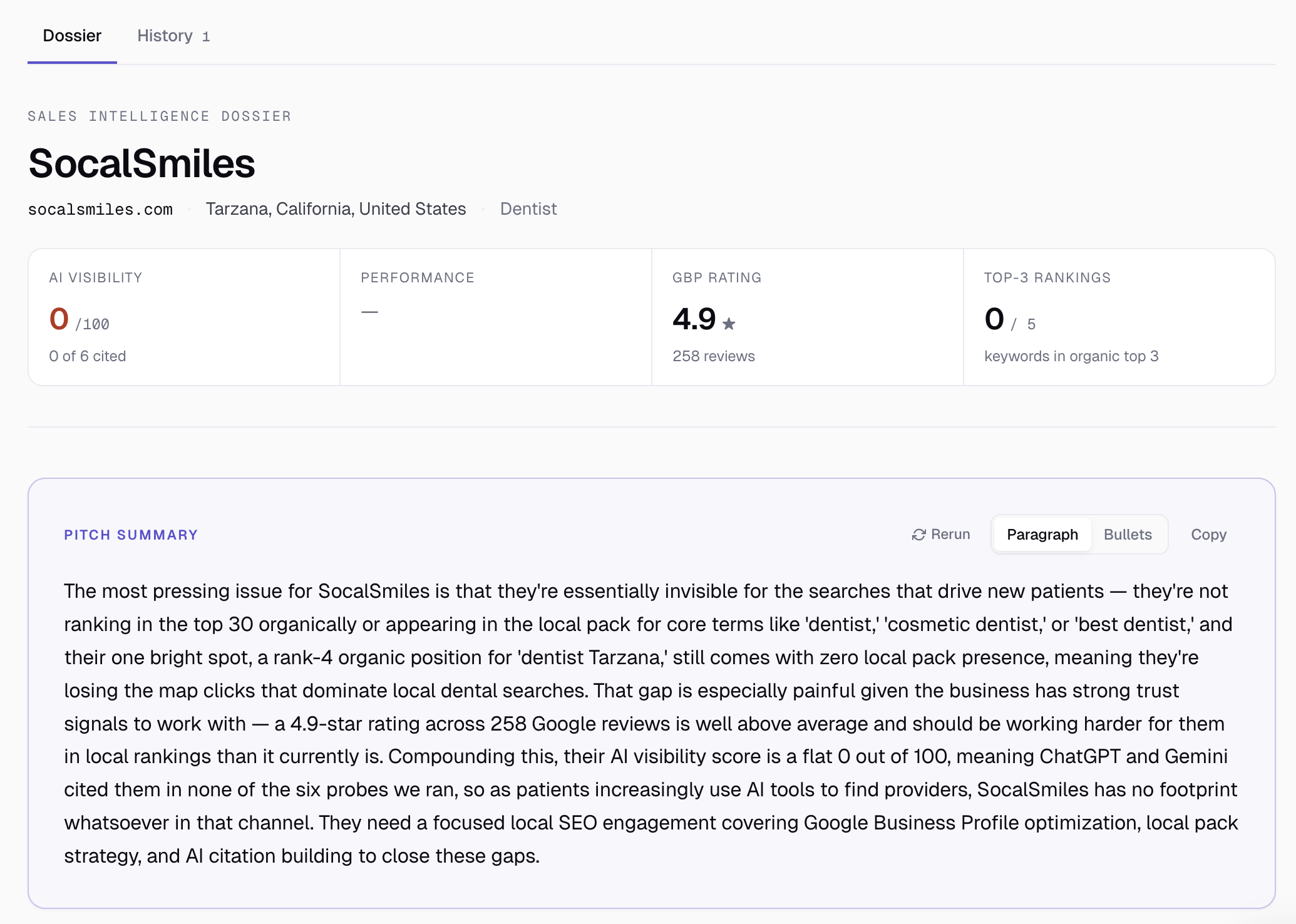
The header scorecard
Four numbers at the top of every dossier. They're the elevator-pitch metrics — what you'd say if you had ten seconds to summarize the prospect's state.
- AI Visibility — a 0–100 score based on how often the prospect's domain shows up when ChatGPT and Gemini are asked for businesses in their category and city. 100 = cited in every probe; 0 = invisible. See AI Visibility, explained for the methodology.
- Performance — Lighthouse performance score (0–100), color-banded by Google's standard thresholds. 90+ green, 50–89 amber, <50 red.
- GBP rating — average star rating + total review count from the linked Google Business Profile.
- Top-3 rankings — how many of the keywords you specified rank in positions 1–3 of organic results.
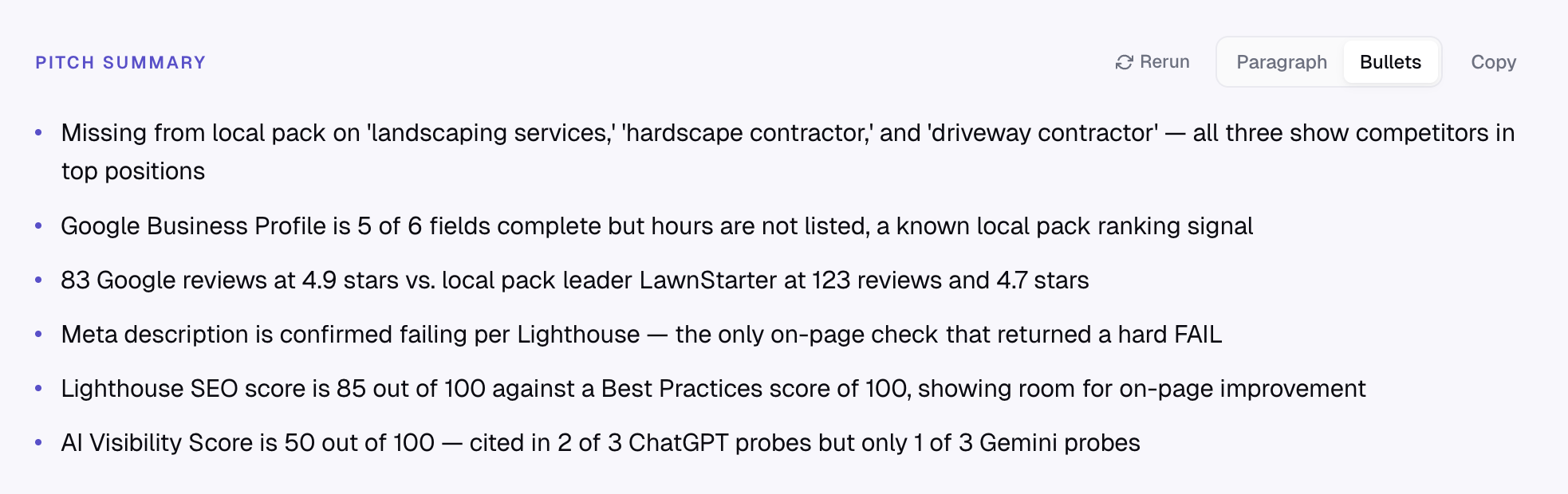
The pitch summary
Three to four sentences of plain prose, written by Claude, synthesizing the entire dossier into the narrative you'd actually say on a discovery call. Toggle to Bullets mode for a shorter punch-list — useful for emails or sales decks. Both are pre-written; copy and paste into your pipeline tool, CRM, or proposal doc.
The summary leads with the biggest gap (the most damaging finding) and ends with the type of work the prospect needs. It references real numbers from the data — not generic SEO advice. If you ever see Claude make a claim that contradicts the data below, that's a bug — let us know.
Google Business Profile
Pulled from Google Maps via DataForSEO. We capture the GBP at the moment you link it (the "snapshot" approach) so re-generating the dossier later doesn't re-query Maps and risk a different result. The card shows:
- Rating + reviews — the headline credibility metric.
- Profile completeness — out of 6 fields (phone, website, hours, category, address, rating). Below 5 is unusual and a low-effort fix.
- Address, phone, website, category, hours. Each shown as a row.
If the prospect has no GBP, the card says so. If you skipped linking one at signup, regenerate the dossier and use the picker. See Linking a Google Business Profile.
AI Visibility
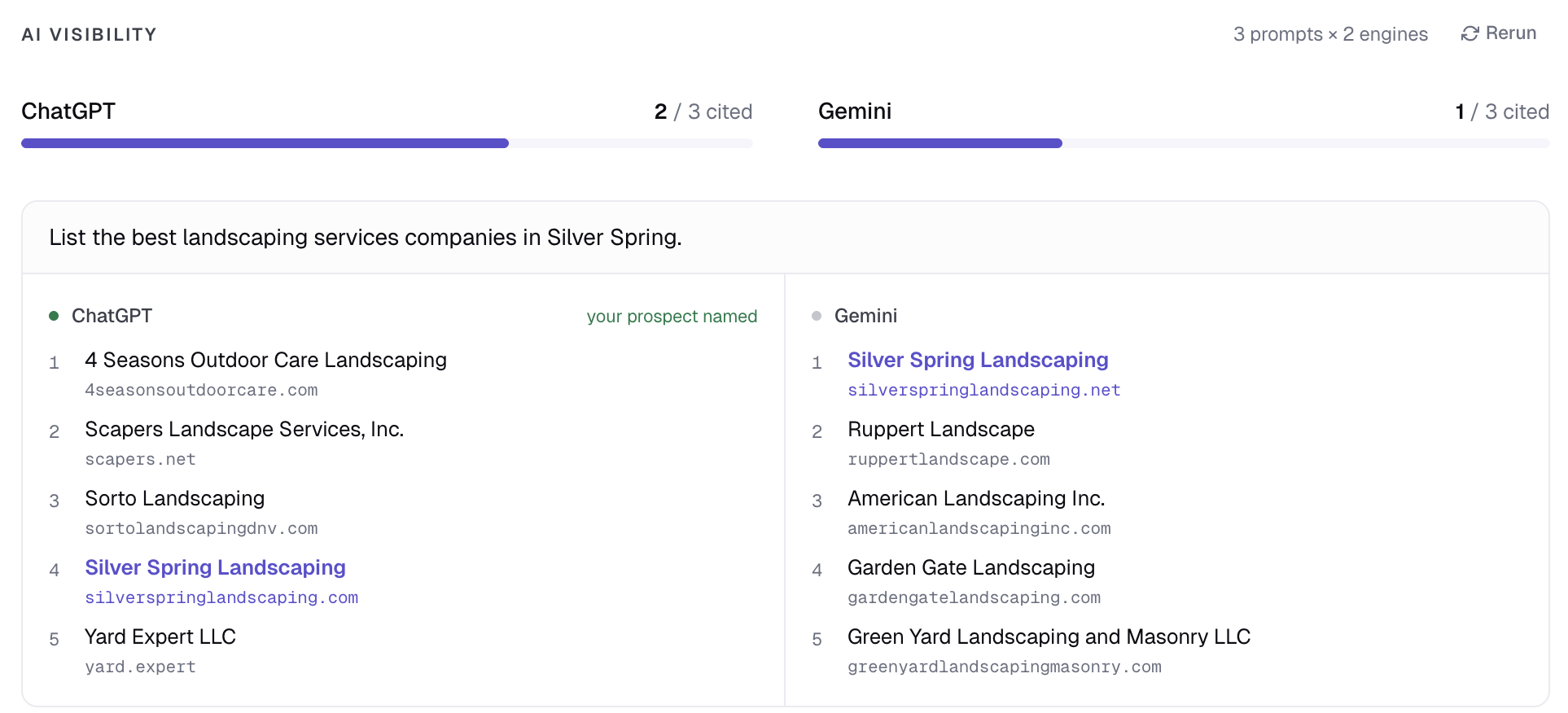
Three queries are run against ChatGPT (with web search) and Gemini (with Google Search grounding) — six total probes. For each query, the AI returns a numbered list of businesses it knows. We check whether the prospect's domain appears in the response.
The card shows:
- Engine score bars — "ChatGPT: 2 of 3 cited", "Gemini: 1 of 3 cited".
- Per-prompt cards — each query as a row, with each engine's response listed. The prospect's row is highlighted when they're cited.
This is the section that lands hardest on calls. Most prospects have never thought about whether AI engines name them, and most won't be cited. That's the pitch.
Local competitors
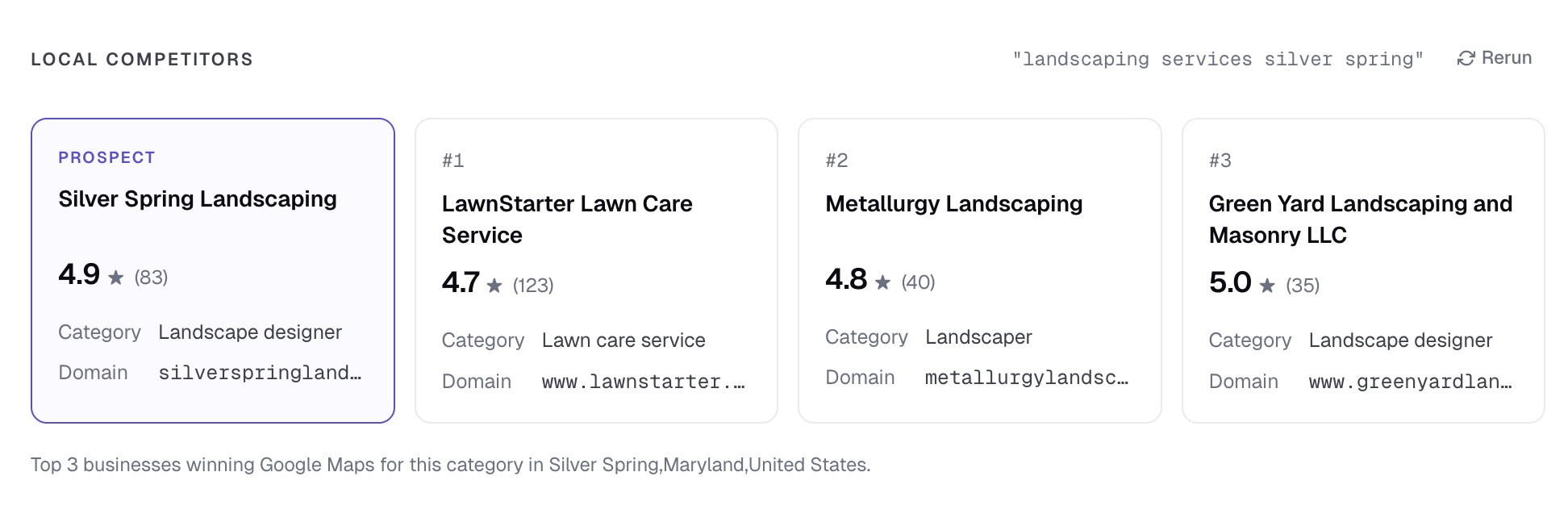
The top three businesses winning Google Maps for the prospect's category and city. Each card shows the maps rank, rating, review count, category, and domain. The prospect appears as a fourth card (highlighted) so the comparison is direct.
Use this on the call to give a competitive frame: "Here's who's beating you locally — they have 124 reviews, you have 32, and they're #1 in the local pack for 'auto repair burbank'." Concrete competitor names make the conversation real.
Website technical health
Two complementary audits:
- Lighthouse — Performance, SEO, Best Practices, Accessibility scores (0–100 each), plus Core Web Vitals (LCP, CLS, INP). Color-banded by the official Google thresholds.
- On-page checks — HTTPS, mobile-friendly, page title, meta description, H1, image alts, broken links, render-blocking resources. Each marked pass / fail. When the full crawl can't run (some sites block automated audits), we derive what we can from Lighthouse.
Failures are red, passes are green. Talk to the failures; ignore the passes (don't pad the pitch with "yeah you have HTTPS — good job").
Keyword rankings
For each keyword you provided, we pull the prospect's organic rank (top 30) and local pack rank from Google. The card shows a table:
- Keyword — what was searched.
- Local pack — position 1–3 of Google's three-pack, or — if not present.
- Organic — position in the regular blue-link results, top 30, or "not in top 30".
- Top result — who's currently winning the query (often a competitor name from the local pack).
This is where you point at money keywords the prospect is missing. If they're nowhere for "best plumber [city]", that's the headline failure to lead with.
Sources status (footer)
A small line at the bottom of the dossier shows which of the five data sources succeeded, failed, or were skipped. Useful for diagnosing dossiers that look thin — if AI Visibility says "skipped", the admin disabled it; if it says "failed", check the logs.
Ready to try SEODex?
Generate a complete pitch dossier for any prospect in about a minute.
Start your free trial →