Exporting PDF dossiers and one-pagers
Two formats, one click each. Both are server-rendered, branded with your agency, and designed to be sent to a prospect as-is.
Two export formats
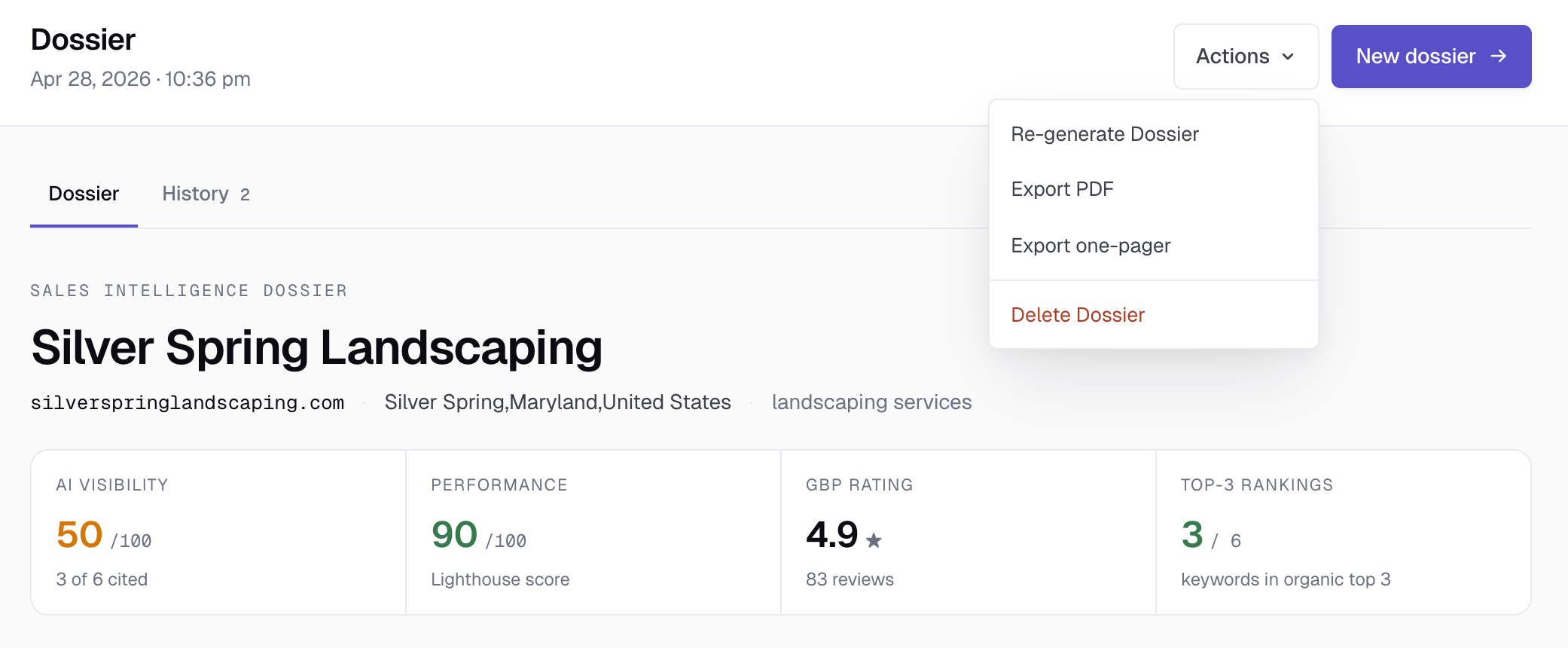
Each completed dossier has two export options in the Actions dropdown:
- Export PDF. The full dossier — cover page, scorecards, pitch summary, GBP, AI Visibility, competitors, technical health, keyword rankings. Five pages on average. Best for proposal attachments and leave-behinds.
- Export one-pager. A single Letter-size page with the same scorecards, the pitch summary in two columns, top three competitors, agency footer. Best for cold-email attachments where attention budget is short.
Both render in 5–15 seconds via headless Chromium. The output is a fresh, downloadable .pdf file each time — we don't cache.
What gets exported
Both formats reflect the dossier as it currently exists. If you've re-run any sources since the last export, the new export uses the latest data. Filename format: {slug}-{variant}-{date}.pdf, e.g. acme-plumbing-dossier-2026-04-29.pdf.
The full PDF
Page 1 is a cover: your agency logo top-left, the date top-right, the prospect's name as the headline, location and category as a subline, and the four scorecards in a row. Followed by a "Prepared by [Agency Name]" footer with the generation timestamp.
Pages 2–5 are the report sections — same shape as on screen, optimized for paper: tighter spacing, page-break controls so cards don't split awkwardly, no interactive elements.
The one-pager
Single Letter sheet. Top: brand row + date + report title. Middle: prospect name and four-up scorecards. Below: "The pitch" in the left column, key bullets in the right. Bottom: top-3 competitors compact row + agency footer.
Designed to be the email attachment that gets opened — short enough to read in 30 seconds, structured enough to send before a discovery call.
Branding
Both formats pull your agency identity from Settings → Agency profile:
- Agency logo appears top-left on the cover/brand row. PNG, JPG, WebP, or SVG up to 2 MB. Keep it horizontal-format (logos taller than wide get squeezed).
- Agency name appears in the cover page footer ("Prepared by [name]") and in the one-pager footer.
If you haven't uploaded a logo, the SEODex wordmark appears instead. Most users upload a logo before sending their first export.
Sending the export
The export downloads to your browser. Two common workflows:
- Cold outreach. Attach the one-pager to the first email. It's small, readable, and signals real prep without overwhelming the prospect. The full PDF is too long for a cold email; save it for the second touch.
- Discovery-call follow-up. After the call, send the full PDF as a leave-behind. The prospect has heard you talk through it; the PDF is the artifact they show their partner or board.
Some users print the full PDF and hand-deliver it for high-value local prospects. The print quality is fine — the export uses real PDF page sizing (Letter, 0.6" margins) so it prints clean.
What's NOT included in exports
- Pipeline notes. These are for your team's eyes; the export is for the client.
- Source-level diagnostic info. Things like "DataForSEO returned 404 for instant_pages" stay in the app, not the export.
- SEODex branding inside the document. The exports look like your agency's deliverable, not ours. The cover page logo is yours; the agency name in the footer is yours.
Exports require the dossier to be in completed or cached status. If a dossier failed during generation, the Export buttons are disabled. Re-generate the dossier first.
Ready to try SEODex?
Generate a complete pitch dossier for any prospect in about a minute.
Start your free trial →